Pages

Wednesday, January 18, 2012

Steps How to Add License into Cisco IOS

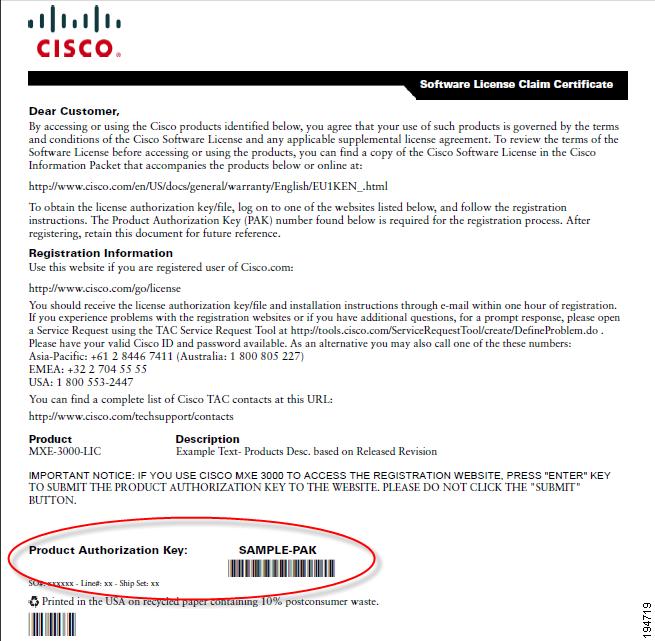
Have to setup IPSec tunnel between two 1921 router with only IPBase IOS without security feature. Purchased it from our procuring partner. Then got a email with PAK info in it.

1. Go to www.cisco.com/go/license website , you have to have CCO account first
2. Enter your PAK info
3. Enter your PID and SN from show version
4. Download license to your local pc
5. Tftp license into Router flash

Tokyo-M#copy tftp: flash:
Address or name of remote host []? 10.94.200.14
Source filename []?  Tokyo -1-FGL2534220N_20120118134528277.lic
Destination filename [ Tokyo -1-FGL2534220N_20120118134528277.lic]?
Accessing tftp://10.94.200.14/ Tokyo -1-FGL2534220N_20120118134528277.lic...
Loading  Tokyo -1-FGL2534220N_20120118134528277.lic from 10.94.200.14 (via Tunnel0): !
[OK - 1154 bytes]

1154 bytes copied in 0.412 secs (2801 bytes/sec)


6. Install License

Tokyo-M#license install flash: Tokyo -1-FGL2534220N_20120118134528277.lic
Installing licenses from "flash: Tokyo -1-FGL2534220N_20120118134528277.lic"
Installing...Feature:securityk9...Successful:Supported
1/1 licenses were successfully installed
0/1 licenses were existing licenses
0/1 licenses were failed to i

7. Show version to check if feature enabled

BJ-M#sh ver
Cisco IOS Software, C1900 Software (C1900-UNIVERSALK9-M), Version 15.1(4)M1, RELEASE SOFTWARE (fc1)
Technical Support: http://www.cisco.com/techsupport
Copyright (c) 1986-2011 by Cisco Systems, Inc.
Compiled Tue 14-Jun-11 17:44 by prod_rel_team
ROM: System Bootstrap, Version 15.0(1r)M9, RELEASE SOFTWARE (fc1)
BJ-M uptime is 1 week, 4 days, 18 hours, 37 minutes
System returned to ROM by reload at 22:17:52 EST Fri Jan 6 2012
System restarted at 22:19:20 EST Fri Jan 6 2012
System image file is "usbflash0:c1900-universalk9-mz.SPA.151-4.M1.bin"
Last reload type: Normal Reload
Last reload reason: Reload Command


This product contains cryptographic features and is subject to United
States and local country laws governing import, export, transfer and
use. Delivery of Cisco cryptographic products does not imply
third-party authority to import, export, distribute or use encryption.
Importers, exporters, distributors and users are responsible for
compliance with U.S. and local country laws. By using this product you
agree to comply with applicable laws and regulations. If you are unable
to comply with U.S. and local laws, return this product immediately.
A summary of U.S. laws governing Cisco cryptographic products may be found at:
http://www.cisco.com/wwl/export/crypto/tool/stqrg.html
If you require further assistance please contact us by sending email to
export@cisco.com.
Cisco CISCO1921/K9 (revision 1.0) with 491520K/32768K bytes of memory.
Processor board ID FGL253321E0
2 Gigabit Ethernet interfaces
1 terminal line
DRAM configuration is 64 bits wide with parity disabled.
255K bytes of non-volatile configuration memory.
250864K bytes of USB Flash usbflash0 (Read/Write)

License Info:
License UDI:
-------------------------------------------------
Device#   PID                   SN
-------------------------------------------------
*0        CISCO1921/K9          FGL253321E0

Technology Package License Information for Module:'c1900'
-----------------------------------------------------------------
Technology    Technology-package           Technology-package
              Current       Type           Next reboot
------------------------------------------------------------------
ipbase        ipbasek9      Permanent      ipbasek9
security      None          None           securityk9
data          None          None           None
Configuration register is 0x2102


7. Reboot and show version check again

Technology Package License Information for Module:'c1900'
-----------------------------------------------------------------
Technology    Technology-package           Technology-package
              Current       Type           Next reboot
------------------------------------------------------------------
ipbase        ipbasek9      Permanent      ipbasek9
security      securityk9    Permanent      securityk9data          None          None           None

Cisco has a detailed documentation regarding how to install and rehost the license:
http://www.cisco.com/en/US/prod/collateral/routers/ps10616/white_paper_c11_556985.html#wp9000833


OSPF over GRE Over IPsec on GNS3

Continued on the post GRE Tunnel in GNS3

Same topology as GRE one:


  • R1, R2, R3, R4, R5, R6, R7 all uses same IOS : c3640-ik9o3s-mz.124-10.bin. 3600 Software (C3640-IK9O3S-M), Version 12.4(10), RELEASE SOFTWARE (fc1)
  • R5 is acting as Internet Router. It is only configured local interface ip address. No static and dynamic routing configured
  • R1, R3 will be acted as a pair to configure GRE and IPSec Tunnel, and also configured as main link between R6 and R7
  • R2, R4 will be acted as second pair to configure GRE and IPSec Tunnel. It will be set as secondly link between R6 and R7
  • R5 Configuration:
R5#sh run
interface Ethernet0/0
 ip address 1.1.1.2 255.255.255.0
 full-duplex
!
interface Ethernet0/1
 ip address 2.2.2.2 255.255.255.0
 full-duplex
!
interface Ethernet0/2
 ip address 3.3.3.2 255.255.255.0
 full-duplex
!
interface Ethernet0/3
 ip address 4.4.4.2 255.255.255.0
 full-duplex
!
1. R1 Configuration
R1#sh run
Building configuration...
Current configuration : 1336 bytes
!
version 12.4
service timestamps debug datetime msec
service timestamps log datetime msec
no service password-encryption
!
hostname R1
!
boot-start-marker
boot-end-marker
!
!
no aaa new-model
memory-size iomem 5
!
!
ip cef
no ip domain lookup
!
crypto isakmp policy 1
 hash md5
 authentication pre-share
crypto isakmp key cisco123 address 3.3.3.1

!
!
crypto ipsec transform-set myset esp-des esp-md5-hmac
 mode transport

!
crypto map vpn 10 ipsec-isakmp
 set peer 3.3.3.1
 set transform-set myset
 match address 101

!
interface Loopback0
 ip address 11.11.11.11 255.255.255.0
!
interface Tunnel0
 ip unnumbered Ethernet0/1
 tunnel source Ethernet0/0
 tunnel destination 3.3.3.1
!
interface Ethernet0/0
 ip address 1.1.1.1 255.255.255.0
 full-duplex
 crypto map vpn
!
interface Ethernet0/1
 ip address 16.16.16.16 255.255.255.0
 shutdown
 full-duplex
!
interface Ethernet0/2
 no ip address
 shutdown
 full-duplex
!
interface Ethernet0/3
 no ip address
 shutdown
 full-duplex
!
no ip http server
no ip http secure-server
!
ip route 3.3.3.0 255.255.255.0 1.1.1.2
ip route 33.33.33.0 255.255.255.0 Tunnel0
!
!
access-list 101 permit gre host 1.1.1.1 host 3.3.3.1
!
control-plane

line con 0
 exec-timeout 0 0
 logging synchronous
line aux 0
line vty 0 4
 login
!
end

2. R3 Configuration
R3#sh run
Building configuration...
Current configuration : 1336 bytes
!
version 12.4
service timestamps debug datetime msec
service timestamps log datetime msec
no service password-encryption
!
hostname R3
!
boot-start-marker
boot-end-marker
!
!
no aaa new-model
memory-size iomem 5
!
!
ip cef
no ip domain lookup
!
crypto isakmp policy 1
 hash md5
 authentication pre-share
crypto isakmp key cisco123 address 1.1.1.1

!
!
crypto ipsec transform-set myset esp-des esp-md5-hmac
 mode transport

!
crypto map vpn 10 ipsec-isakmp
 set peer 1.1.1.1
 set transform-set myset
 match address 101
!

!
!
!
interface Loopback0
 ip address 33.33.33.33 255.255.255.0
!
interface Tunnel0
 ip unnumbered Ethernet0/1
 tunnel source Ethernet0/0
 tunnel destination 1.1.1.1
!
interface Ethernet0/0
 ip address 3.3.3.1 255.255.255.0
 full-duplex
 crypto map vpn
!
interface Ethernet0/1
 ip address 37.37.37.37 255.255.255.0
 shutdown
 full-duplex
!
interface Ethernet0/2
 no ip address
 shutdown
 full-duplex
!
interface Ethernet0/3
 no ip address
 shutdown
 full-duplex
!
no ip http server
no ip http secure-server
!
ip route 1.1.1.0 255.255.255.0 3.3.3.2
ip route 11.11.11.0 255.255.255.0 Tunnel0
!
!
access-list 101 permit gre host 3.3.3.1 host 1.1.1.1
!
control-plane
!
line con 0
 exec-timeout 0 0
 logging synchronous
line aux 0
line vty 0 4
 login
!
!
end
 3. Verification

R3#show crypto isakmp key
Keyring               Hostname/Address                   Preshared Key
default               1.1.1.1                            cisco123
R3#show crypto isakmp peers
Peer: 1.1.1.1 Port: 500 Local: 3.3.3.1
 Phase1 id: 1.1.1.1
R3#show crypto isakmp policy
Global IKE policy
Protection suite of priority 1
        encryption algorithm:   DES - Data Encryption Standard (56 bit keys).
        hash algorithm:         Message Digest 5
        authentication method:  Pre-Shared Key
        Diffie-Hellman group:   #1 (768 bit)
        lifetime:               86400 seconds, no volume limit
Default protection suite
        encryption algorithm:   DES - Data Encryption Standard (56 bit keys).
        hash algorithm:         Secure Hash Standard
        authentication method:  Rivest-Shamir-Adleman Signature
        Diffie-Hellman group:   #1 (768 bit)
        lifetime:               86400 seconds, no volume limit
R3#show crypto isakmp sa
dst             src             state          conn-id slot status
3.3.3.1         1.1.1.1         QM_IDLE              1    0 ACTIVE

R1#ping 33.33.33.33 source 11.11.11.11
Type escape sequence to abort.
Sending 5, 100-byte ICMP Echos to 33.33.33.33, timeout is 2 seconds:
Packet sent with a source address of 11.11.11.11
.!!!!
Success rate is 80 percent (4/5), round-trip min/avg/max = 56/127/224 ms
R1#


R3#debug crypto isakmp
Crypto ISAKMP debugging is on
R3#
*Mar  1 01:00:50.155: ISAKMP (0:0): received packet from 1.1.1.1 dport 500 sport 500 Global (N) NEW SA
*Mar  1 01:00:50.159: ISAKMP: Created a peer struct for 1.1.1.1, peer port 500
*Mar  1 01:00:50.163: ISAKMP: New peer created peer = 0x64AAEB34 peer_handle = 0x80000003
*Mar  1 01:00:50.167: ISAKMP: Locking peer struct 0x64AAEB34, IKE refcount 1 for crypto_isakmp_process_block
*Mar  1 01:00:50.167: ISAKMP: local port 500, remote port 500
*Mar  1 01:00:50.171: insert sa successfully sa = 646DD910
*Mar  1 01:00:50.175: ISAKMP:(0:0:N/A:0):Input = IKE_MESG_FROM_PEER, IKE_MM_EXCH
*Mar  1 01:00:50.179: ISAKMP:(0:0:N/A:0):Old State = IKE_READY  New State = IKE_R_MM1
*Mar  1 01:00:50.187: ISAKMP:(0:0:N/A:0): processing SA payload. message ID = 0
*Mar  1 01:00:50.191: ISAKMP:(0:0:N/A:0): processing vendor id payload
*Mar  1 01:00:50.195: ISAKMP:(0:0:N/A:0): vendor ID seems Unity/DPD but major 245 mismatch
*Mar  1 01:00:50.195: ISAKMP (0:0): vendor ID is NAT-T v7
*Mar  1 01:00:50.195: ISAKMP:(0:0:N/A:0): processing vendor id payload
*Mar  1 01:00:50.199: ISAKMP:(0:0:N/A:0): vendor ID seems Unity/DPD but major 157 mismatch
*Mar  1 01:00:50.199: ISAKMP:(0:0:N/A:0): vendor ID is NAT-T v3
*Mar  1 01:00:50.203: ISAKMP:(0:0:N/A:0): processing vendor id payload
*Mar  1 01:00:50.207: ISAKMP:(0:0:N/A:0): vendor ID seems Unity/DPD but major 123 mismatch
*Mar  1 01:00:50.211: ISAKMP:(0:0:N/A:0): vendor ID is NAT-T v2
*Mar  1 01:00:50.211: ISAKMP:(0:0:N/A:0):found peer pre-shared key matching 1.1.1.1
*Mar  1 01:00:50.211: ISAKMP:(0:0:N/A:0): local preshared key found
*Mar  1 01:00:50.211: ISAKMP : Scanning profiles for xauth ...
*Mar  1 01:00:50.211: ISAKMP:(0:0:N/A:0):Checking ISAKMP transform 1 against priority 1 policy
*Mar  1 01:00:50.211: ISAKMP:      encryption DES-CBC
*Mar  1 01:00:50.211: ISAKMP:      hash MD5
*Mar  1 01:00:50.211: ISAKMP:      default group 1
*Mar  1 01:00:50.211: ISAKMP:      auth pre-share
*Mar  1 01:00:50.211: ISAKMP:      life type in seconds
*Mar  1 01:00:50.211: ISAKMP:      life duration (VPI) of  0x0 0x1 0x51 0x80
*Mar  1 01:00:50.211: ISAKMP:(0:0:N/A:0):atts are acceptable. Next payload is 0
*Mar  1 01:00:50.227: ISAKMP:(0:1:SW:1): processing vendor id payload
*Mar  1 01:00:50.227: ISAKMP:(0:1:SW:1): vendor ID seems Unity/DPD but major 245 mismatch
*Mar  1 01:00:50.227: ISAKMP (0:134217729): vendor ID is NAT-T v7
*Mar  1 01:00:50.227: ISAKMP:(0:1:SW:1): processing vendor id payload
*Mar  1 01:00:50.227: ISAKMP:(0:1:SW:1): vendor ID seems Unity/DPD but major 157 mismatch
*Mar  1 01:00:50.227: ISAKMP:(0:1:SW:1): vendor ID is NAT-T v3
*Mar  1 01:00:50.227: ISAKMP:(0:1:SW:1): processing vendor id payload
*Mar  1 01:00:50.227: ISAKMP:(0:1:SW:1): vendor ID seems Unity/DPD but major 123 mismatch
*Mar  1 01:00:50.227: ISAKMP:(0:1:SW:1): vendor ID is NAT-T v2
*Mar  1 01:00:50.227: ISAKMP:(0:1:SW:1):Input = IKE_MESG_INTERNAL, IKE_PROCESS_MAIN_MODE
*Mar  1 01:00:50.227: ISAKMP:(0:1:SW:1):Old State = IKE_R_MM1  New State = IKE_R_MM1
*Mar  1 01:00:50.227: ISAKMP:(0:1:SW:1): constructed NAT-T vendor-07 ID
*Mar  1 01:00:50.227: ISAKMP:(0:1:SW:1): sending packet to 1.1.1.1 my_port 500 peer_port 500 (R) MM_SA_SETUP
*Mar  1 01:00:50.231: ISAKMP:(0:1:SW:1):Input = IKE_MESG_INTERNAL, IKE_PROCESS_COMPLETE
*Mar  1 01:00:50.231: ISAKMP:(0:1:SW:1):Old State = IKE_R_MM1  New State = IKE_R_MM2
*Mar  1 01:00:50.359: ISAKMP (0:134217729): received packet from 1.1.1.1 dport 500 sport 500 Global (R) MM_SA_SETUP
*Mar  1 01:00:50.367: ISAKMP:(0:1:SW:1):Input = IKE_MESG_FROM_PEER, IKE_MM_EXCH
*Mar  1 01:00:50.371: ISAKMP:(0:1:SW:1):Old State = IKE_R_MM2  New State = IKE_R_MM3
*Mar  1 01:00:50.375: ISAKMP:(0:1:SW:1): processing KE payload. message ID = 0
*Mar  1 01:00:50.399: ISAKMP:(0:1:SW:1): processing NONCE payload. message ID = 0
*Mar  1 01:00:50.399: ISAKMP:(0:1:SW:1):found peer pre-shared key matching 1.1.1.1
*Mar  1 01:00:50.399: ISAKMP:(0:1:SW:1):SKEYID state generated
*Mar  1 01:00:50.399: ISAKMP:(0:1:SW:1): processing vendor id payload
*Mar  1 01:00:50.399: ISAKMP:(0:1:SW:1): vendor ID is Unity
*Mar  1 01:00:50.399: ISAKMP:(0:1:SW:1): processing vendor id payload
*Mar  1 01:00:50.399: ISAKMP:(0:1:SW:1): vendor ID is DPD
*Mar  1 01:00:50.399: ISAKMP:(0:1:SW:1): processing vendor id payload
*Mar  1 01:00:50.399: ISAKMP:(0:1:SW:1): speaking to another IOS box!
*Mar  1 01:00:50.399: ISAKMP:(0:1:SW:1):Input = IKE_MESG_INTERNAL, IKE_PROCESS_MAIN_MODE
*Mar  1 01:00:50.399: ISAKMP:(0:1:SW:1):Old State = IKE_R_MM3  New State = IKE_R_MM3
*Mar  1 01:00:50.403: ISAKMP:(0:1:SW:1): sending packet to 1.1.1.1 my_port 500 peer_port 500 (R) MM_KEY_EXCH
*Mar  1 01:00:50.407: ISAKMP:(0:1:SW:1):Input = IKE_MESG_INTERNAL, IKE_PROCESS_COMPLETE
*Mar  1 01:00:50.411: ISAKMP:(0:1:SW:1):Old State = IKE_R_MM3  New State = IKE_R_MM4
*Mar  1 01:00:50.531: ISAKMP (0:134217729): received packet from 1.1.1.1 dport 500 sport 500 Global (R) MM_KEY_EXCH
*Mar  1 01:00:50.539: ISAKMP:(0:1:SW:1):Input = IKE_MESG_FROM_PEER, IKE_MM_EXCH
*Mar  1 01:00:50.543: ISAKMP:(0:1:SW:1):Old State = IKE_R_MM4  New State = IKE_R_MM5
*Mar  1 01:00:50.551: ISAKMP:(0:1:SW:1): processing ID payload. message ID = 0
*Mar  1 01:00:50.555: ISAKMP (0:134217729): ID payload
        next-payload : 8
        type         : 1
        address      : 1.1.1.1
        protocol     : 17
        port         : 500
        length       : 12
*Mar  1 01:00:50.559: ISAKMP:(0:1:SW:1):: peer matches *none* of the profiles
*Mar  1 01:00:50.563: ISAKMP:(0:1:SW:1): processing HASH payload. message ID = 0
*Mar  1 01:00:50.571: ISAKMP:(0:1:SW:1): processing NOTIFY INITIAL_CONTACT protocol 1
        spi 0, message ID = 0, sa = 646DD910
*Mar  1 01:00:50.571: ISAKMP:(0:1:SW:1):SA authentication status:
        authenticated
*Mar  1 01:00:50.571: ISAKMP:(0:1:SW:1): Process initial contact,
bring down existing phase 1 and 2 SA's with local 3.3.3.1 remote 1.1.1.1 remote port 500
*Mar  1 01:00:50.571: ISAKMP:(0:1:SW:1):SA authentication status:
        authenticated
*Mar  1 01:00:50.571: ISAKMP:(0:1:SW:1):SA has been authenticated with 1.1.1.1
*Mar  1 01:00:50.571: ISAKMP: Trying to insert a peer 3.3.3.1/1.1.1.1/500/,  and inserted successfully 64AAEB34.
*Mar  1 01:00:50.571: ISAKMP:(0:1:SW:1):Input = IKE_MESG_INTERNAL, IKE_PROCESS_MAIN_MODE
*Mar  1 01:00:50.571: ISAKMP:(0:1:SW:1):Old State = IKE_R_MM5  New State = IKE_R_MM5
*Mar  1 01:00:50.571: ISAKMP:(0:1:SW:1):SA is doing pre-shared key authentication using id type ID_IPV4_ADDR
*Mar  1 01:00:50.571: ISAKMP (0:134217729): ID payload
        next-payload : 8
        type         : 1
        address      : 3.3.3.1
        protocol     : 17
        port         : 500
        length       : 12
*Mar  1 01:00:50.575: ISAKMP:(0:1:SW:1):Total payload length: 12
*Mar  1 01:00:50.583: ISAKMP:(0:1:SW:1): sending packet to 1.1.1.1 my_port 500 peer_port 500 (R) MM_KEY_EXCH
*Mar  1 01:00:50.587: ISAKMP:(0:1:SW:1):Input = IKE_MESG_INTERNAL, IKE_PROCESS_COMPLETE
*Mar  1 01:00:50.587: ISAKMP:(0:1:SW:1):Old State = IKE_R_MM5  New State = IKE_P1_COMPLETE
*Mar  1 01:00:50.595: ISAKMP:(0:1:SW:1):Input = IKE_MESG_INTERNAL, IKE_PHASE1_COMPLETE
*Mar  1 01:00:50.599: ISAKMP:(0:1:SW:1):Old State = IKE_P1_COMPLETE  New State = IKE_P1_COMPLETE
*Mar  1 01:00:50.671: ISAKMP (0:134217729): received packet from 1.1.1.1 dport 500 sport 500 Global (R) QM_IDLE
*Mar  1 01:00:50.675: ISAKMP: set new node -647448370 to QM_IDLE
*Mar  1 01:00:50.687: ISAKMP:(0:1:SW:1): processing HASH payload. message ID = -647448370
*Mar  1 01:00:50.687: ISAKMP:(0:1:SW:1): processing SA payload. message ID = -647448370
*Mar  1 01:00:50.691: ISAKMP:(0:1:SW:1):Checking IPSec proposal 1
*Mar  1 01:00:50.691: ISAKMP: transform 1, ESP_DES
*Mar  1 01:00:50.695: ISAKMP:   attributes in transform:
*Mar  1 01:00:50.695: ISAKMP:      encaps is 2 (Transport)
*Mar  1 01:00:50.695: ISAKMP:      SA life type in seconds
*Mar  1 01:00:50.695: ISAKMP:      SA life duration (basic) of 3600
*Mar  1 01:00:50.695: ISAKMP:      SA life type in kilobytes
*Mar  1 01:00:50.695: ISAKMP:      SA life duration (VPI) of  0x0 0x46 0x50 0x0
*Mar  1 01:00:50.695: ISAKMP:      authenticator is HMAC-MD5
*Mar  1 01:00:50.695: ISAKMP:(0:1:SW:1):atts are acceptable.
*Mar  1 01:00:50.699: ISAKMP:(0:1:SW:1): processing NONCE payload. message ID = -647448370
*Mar  1 01:00:50.699: ISAKMP:(0:1:SW:1): processing ID payload. message ID = -647448370
*Mar  1 01:00:50.703: ISAKMP:(0:1:SW:1): processing ID payload. message ID = -647448370
*Mar  1 01:00:50.707: ISAKMP:(0:1:SW:1): asking for 1 spis from ipsec
*Mar  1 01:00:50.711: ISAKMP:(0:1:SW:1):Node -647448370, Input = IKE_MESG_FROM_PEER, IKE_QM_EXCH
*Mar  1 01:00:50.711: ISAKMP:(0:1:SW:1):Old State = IKE_QM_READY  New State = IKE_QM_SPI_STARVE
*Mar  1 01:00:50.711: ISAKMP: received ke message (2/1)
*Mar  1 01:00:50.719: ISAKMP: Locking peer struct 0x64AAEB34, IPSEC refcount 1 for for stuff_ke
*Mar  1 01:00:50.723: ISAKMP:(0:1:SW:1): Creating IPSec SAs
*Mar  1 01:00:50.723:         inbound SA from 1.1.1.1 to 3.3.3.1 (f/i)  0/ 0
        (proxy 1.1.1.1 to 3.3.3.1)
*Mar  1 01:00:50.727:         has spi 0xD57BF9FC and conn_id 0 and flags 4
*Mar  1 01:00:50.727:         lifetime of 3600 seconds
*Mar  1 01:00:50.727:         lifetime of 4608000 kilobytes
*Mar  1 01:00:50.727:         has client flags 0x0
*Mar  1 01:00:50.727:         outbound SA from 3.3.3.1 to 1.1.1.1 (f/i) 0/0
        (proxy 3.3.3.1 to 1.1.1.1)
*Mar  1 01:00:50.727:         has spi 1959940862 and conn_id 0 and flags C
*Mar  1 01:00:50.727:         lifetime of 3600 seconds
*Mar  1 01:00:50.727:         lifetime of 4608000 kilobytes
*Mar  1 01:00:50.727:         has client flags 0x0
*Mar  1 01:00:50.727: ISAKMP:(0:1:SW:1): sending packet to 1.1.1.1 my_port 500 peer_port 500 (R) QM_IDLE
*Mar  1 01:00:50.731: ISAKMP:(0:1:SW:1):Node -647448370, Input = IKE_MESG_FROM_IPSEC, IKE_SPI_REPLY
*Mar  1 01:00:50.735: ISAKMP:(0:1:SW:1):Old State = IKE_QM_SPI_STARVE  New State = IKE_QM_R_QM2
*Mar  1 01:00:50.743: ISAKMP: Locking peer struct 0x64AAEB34, IPSEC refcount 2 for from create_transforms
*Mar  1 01:00:50.747: ISAKMP: Unlocking IPSEC struct 0x64AAEB34 from create_transforms, count 1
*Mar  1 01:00:50.843: ISAKMP (0:134217729): received packet from 1.1.1.1 dport 500 sport 500 Global (R) QM_IDLE
*Mar  1 01:00:50.855: ISAKMP:(0:1:SW:1):deleting node -647448370 error FALSE reason "QM done (await)"
*Mar  1 01:00:50.859: ISAKMP:(0:1:SW:1):Node -647448370, Input = IKE_MESG_FROM_PEER, IKE_QM_EXCH
*Mar  1 01:00:50.859: ISAKMP:(0:1:SW:1):Old State = IKE_QM_R_QM2  New State = IKE_QM_PHASE2_COMPLETE
R3#
4. Packets 
Captured packets on R5 interface

5. Enable OSPF on R1 and R3
@R1

router ospf 100
 router-id 11.11.11.11
 log-adjacency-changes
 network 11.11.11.0 0.0.0.255 area 0
 network 16.16.16.0 0.0.0.255 area 0

@R3
router ospf 100
 router-id 33.33.33.33
 log-adjacency-changes
 network 33.33.33.0 0.0.0.255 area 0
 network 37.37.37.0 0.0.0.255 area 0

6. Show routes on both routers
@R1
R1#sh ip route
Codes: C - connected, S - static, R - RIP, M - mobile, B - BGP
       D - EIGRP, EX - EIGRP external, O - OSPF, IA - OSPF inter area
       N1 - OSPF NSSA external type 1, N2 - OSPF NSSA external type 2
       E1 - OSPF external type 1, E2 - OSPF external type 2
       i - IS-IS, su - IS-IS summary, L1 - IS-IS level-1, L2 - IS-IS level-2
       ia - IS-IS inter area, * - candidate default, U - per-user static route
       o - ODR, P - periodic downloaded static route
Gateway of last resort is not set
     16.0.0.0/24 is subnetted, 1 subnets
C       16.16.16.0 is directly connected, Ethernet0/1
     1.0.0.0/24 is subnetted, 1 subnets
C       1.1.1.0 is directly connected, Ethernet0/0
     33.0.0.0/8 is variably subnetted, 2 subnets, 2 masks
O       33.33.33.33/32 [110/11112] via 37.37.37.37, 00:00:45, Tunnel0
S       33.33.33.0/24 is directly connected, Tunnel0
     3.0.0.0/24 is subnetted, 1 subnets
S       3.3.3.0 [1/0] via 1.1.1.2
     37.0.0.0/24 is subnetted, 1 subnets
O       37.37.37.0 [110/11121] via 37.37.37.37, 00:00:47, Tunnel0
     11.0.0.0/24 is subnetted, 1 subnets
C       11.11.11.0 is directly connected, Loopback0


@R3
R3#sh ip route
Codes: C - connected, S - static, R - RIP, M - mobile, B - BGP
       D - EIGRP, EX - EIGRP external, O - OSPF, IA - OSPF inter area
       N1 - OSPF NSSA external type 1, N2 - OSPF NSSA external type 2
       E1 - OSPF external type 1, E2 - OSPF external type 2
       i - IS-IS, su - IS-IS summary, L1 - IS-IS level-1, L2 - IS-IS level-2
       ia - IS-IS inter area, * - candidate default, U - per-user static route
       o - ODR, P - periodic downloaded static route
Gateway of last resort is not set
     16.0.0.0/24 is subnetted, 1 subnets
O       16.16.16.0 [110/11121] via 16.16.16.16, 00:00:35, Tunnel0
     1.0.0.0/24 is subnetted, 1 subnets
S       1.1.1.0 [1/0] via 3.3.3.2
     33.0.0.0/24 is subnetted, 1 subnets
C       33.33.33.0 is directly connected, Loopback0
     3.0.0.0/24 is subnetted, 1 subnets
C       3.3.3.0 is directly connected, Ethernet0/0
     37.0.0.0/24 is subnetted, 1 subnets
C       37.37.37.0 is directly connected, Ethernet0/1
     11.0.0.0/8 is variably subnetted, 2 subnets, 2 masks
O       11.11.11.11/32 [110/11112] via 16.16.16.16, 00:00:37, Tunnel0
S       11.11.11.0/24 is directly connected, Tunnel0

R3#sh ip os nei
Neighbor ID     Pri   State           Dead Time   Address         Interface
11.11.11.11       0   FULL/  -        00:00:36    16.16.16.16     Tunnel0

R3#ping 16.16.16.16 source 37.37.37.37
Type escape sequence to abort.
Sending 5, 100-byte ICMP Echos to 16.16.16.16, timeout is 2 seconds:
Packet sent with a source address of 37.37.37.37
!!!!!
Success rate is 100 percent (5/5), round-trip min/avg/max = 60/95/164 ms
R3#

Tuesday, January 17, 2012

Set Juniper SRX into Debug mode when crashed

Recently, experienced a SRX crash failure. SRX 240H was getting into crash and rebooted itself twice. At last, it came back normal. During checking system log, unfortunately could not find out any details and clues for this crash. Only clues are from console screen. There are some dump messages showing up:

roo@SRX> NMI Exception on core:0
Watchdog status, core 0: 0xfffe6fffffb
FPA INT Summery: 0x0
Err EPC: 0x80745f50
Trapframe Register Dump:
        zero: 00000000  at: 00000001    v0: 00000001    v1: 0000000e
        a0: 000003e8    a1: 00000001    a2: ffff8010    a3: ffffffffd6f23176
        t0: 00000208    t1: 8001070000000208    t2: ffffffff80010700    t3: 00000208
        t4: 00000000    t5: 00000000    t6: 00000000    t7: 00000001
        t8: 23c34600    t9: 0006c48b    s0: 00018853    s1: 0379255d
        s2: 000927c0    s3: ffffffffc1be6b80    s4: ffffffff80b00000    s5: ffffffffd6f230d0
        s6: fffffffffffffffe    s7: 00003fff    k0: 3480100034  k1: 8010003400000080
        gp: ffffffff80af9040    sp: ffffffffd6f23060    s8: 00000000    ra: ffffffff80745f58
        sr: 50c808e5    mullo: 05a0d200 mulhi: 09600000 badvaddr: ffffffffc1bd76fc
        cause: 40008400 pc: ffffffff80745f58
        ErrPC: 00000840
Current ticks/softticks 172842/160779, curproc [1153] rcp


PCPU dump:
cpuid        = 0
curthread    = 0xc1d2b840: pid 1153 "rcp"
ipis         = 0x0
cpuid        = 1
curthread    = 0xc1beb210: pid 21 "idle: cpu1"
ipis         = 0x0
cpuid        = 2
curthread    = 0xc1beb000: pid 20 "idle: cpu2"
ipis         = 0x0
cpuid        = 3
curthread    = 0xc1be7c60: pid 19 "idle: cpu3"
ipis         = 0x0
cpuid        = 4
curthread    = none
ipis         = 0x0
cpuid        = 5
curthread    = none
ipis         = 0x0
cpuid        = 6
curthread    = none
ipis         = 0x0
cpuid        = 7
curthread    = none
ipis         = 0x0
cpuid        = 8
curthread    = none
ipis         = 0x0
cpuid        = 9
curthread    = none
ipis         = 0x0
cpuid        = 10
curthread    = none
ipis         = 0x0
cpuid        = 11
curthread    = none
ipis         = 0x0
Memory dump of 1024 words starting at 0x80000000
0x80000000: 08258e23 401a4000 00000000 80055a7c
0x80000010: 80055ae0 80071cd0 aaaaaaaa aaaaaaaa
0x80000020: aaaaaaaa aaaaaaaa aaaaaaaa aaaaaaaa
0x80000030: aaaaaaaa aaaaaaaa aaaaaaaa aaaaaaaa
0x80000040: aaaaaaaa aaaaaaaa aaaaaaaa aaaaaaaa
0x80000050: aaaaaaaa aaaaaaaa aaaaaaaa aaaaaaaa
0x80000060: aaaaaaaa aaaaaaaa aaaaaaaa aaaaaaaa
0x80000070: aaaaaaaa aaaaaaaa aaaaaaaa aaaaaaaa
0x80000080: 08258e23 401a4000 00000000 aaaaaaaa
0x80000090: aaaaaaaa aaaaaaaa aaaaaaaa aaaaaaaa
0x800000a0: aaaaaaaa aaaaaaaa aaaaaaaa aaaaaaaa
0x800000b0: aaaaaaaa aaaaaaaa aaaaaaaa aaaaaaaa
0x800000c0: aaaaaaaa aaaaaaaa aaaaaaaa aaaaaaaa
0x800000d0: aaaaaaaa aaaaaaaa aaaaaaaa aaaaaaaa
0x800000e0: aaaaaaaa aaaaaaaa aaaaaaaa aaaaaaaa
0x800000f0: aaaaaaaa aaaaaaaa aaaaaaaa aaaaaaaa
0x80000100: 3c1a8096 275a4b8c 3c1b1fff 377bffff
0x80000110: 035bd024 3c1ba000 035bd025 03400008
0x80000120: 00000000 aaaaaaaa aaaaaaaa aaaaaaaa
0x80000130: aaaaaaaa aaaaaaaa aaaaaaaa aaaaaaaa
0x80000140: aaaaaaaa aaaaaaaa aaaaaaaa aaaaaaaa
0x80000150: aaaaaaaa aaaaaaaa aaaaaaaa aaaaaaaa
0x80000160: aaaaaaaa aaaaaaaa aaaaaaaa aaaaaaaa
0x80000170: aaaaaaaa aaaaaaaa aaaaaaaa aaaaaaaa
0x80000180: 401a6000 401b6800 335a0010 001ad0c0
0x80000190: 337b007c 037ad825 3c1a80ae 275a74b8
0x800001a0: 035bd021 8f5a0000 00000000 03400008
0x800001b0: 00000000 aaaaaaaa aaaaaaaa aaaaaaaa
0x800001c0: aaaaaaaa aaaaaaaa aaaaaaaa aaaaaaaa
0x800001d0: aaaaaaaa aaaaaaaa aaaaaaaa aaaaaaaa
0x800001e0: aaaaaaaa aaaaaaaa aaaaaaaa aaaaaaaa
0x800001f0: aaaaaaaa aaaaaaaa aaaaaaaa aaaaaaaa
0x80000200: aaaaaaaa aaaaaaaa aaaaaaaa aaaaaaaa
0x80000210: aaaaaaaa aaaaaaaa aaaaaaaa aaaaaaaa
0x80000220: aaaaaaaa aaaaaaaa aaaaaaaa aaaaaaaa
0x80000230: aaaaaaaa aaaaaaaa aaaaaaaa aaaaaaaa
0x80000240: aaaaaaaa aaaaaaaa aaaaaaaa aaaaaaaa
0x80000250: aaaaaaaa aaaaaaaa aaaaaaaa aaaaaaaa
0x80000260: aaaaaaaa aaaaaaaa aaaaaaaa aaaaaaaa
0x80000270: aaaaaaaa aaaaaaaa aaaaaaaa aaaaaaaa
0x80000280: aaaaaaaa aaaaaaaa aaaaaaaa aaaaaaaa
0x80000290: aaaaaaaa aaaaaaaa aaaaaaaa aaaaaaaa
0x800002a0: aaaaaaaa aaaaaaaa aaaaaaaa aaaaaaaa
0x800002b0: aaaaaaaa aaaaaaaa aaaaaaaa aaaaaaaa
0x800002c0: aaaaaaaa aaaaaaaa aaaaaaaa aaaaaaaa
0x800002d0: aaaaaaaa aaaaaaaa aaaaaaaa aaaaaaaa
0x800002e0: aaaaaaaa aaaaaaaa aaaaaaaa aaaaaaaa
0x800002f0: aaaaaaaa aaaaaaaa aaaaaaaa aaaaaaaa
0x80000300: aaaaaaaa aaaaaaaa aaaaaaaa aaaaaaaa
0x80000310: aaaaaaaa aaaaaaaa aaaaaaaa aaaaaaaa
0x80000320: aaaaaaaa aaaaaaaa aaaaaaaa aaaaaaaa
0x80000330: aaaaaaaa aaaaaaaa aaaaaaaa aaaaaaaa
0x80000340: aaaaaaaa aaaaaaaa aaaaaaaa aaaaaaaa
0x80000350: aaaaaaaa aaaaaaaa aaaaaaaa aaaaaaaa
0x80000360: aaaaaaaa aaaaaaaa aaaaaaaa aaaaaaaa
0x80000370: aaaaaaaa aaaaaaaa aaaaaaaa aaaaaaaa
0x80000380: aaaaaaaa aaaaaaaa aaaaaaaa aaaaaaaa
0x80000390: aaaaaaaa aaaaaaaa aaaaaaaa aaaaaaaa
0x800003a0: aaaaaaaa aaaaaaaa aaaaaaaa aaaaaaaa
0x800003b0: aaaaaaaa aaaaaaaa aaaaaaaa aaaaaaaa
0x800003c0: aaaaaaaa aaaaaaaa aaaaaaaa aaaaaaaa
0x800003d0: aaaaaaaa aaaaaaaa aaaaaaaa aaaaaaaa
0x800003e0: aaaaaaaa aaaaaaaa aaaaaaaa aaaaaaaa
0x800003f0: aaaaaaaa aaaaaaaa aaaaaaaa aaaaaaaa
Stack trace:
DELAY+0x4c (3e8,1,ffff8010,d6f23176) ra 80115438 sz 32
xpt_polled_action+0x64 (3e8,1,ffff8010,d6f23176) ra 80119608 sz 48
dashutdown+0xa0 (3e8,1,ffff8010,d6f23176) ra 802284bc sz 664
boot+0x6f8 (3e8,1,ffff8010,d6f23176) ra 80229028 sz 64
panic+0x608 (3e8,1,80010700,508008e1) ra 8075b324 sz 48
panic_on_watchdog_timeout+0x78 (3e8,1,80010700,508008e1) ra 8077a3f0 sz 32
re_srxsme_watchdog_intr+0x14c (3e8,1,80010700,508008e1) ra 80735fb0 sz 24
mips_handle_this_interrupt+0x8c (3e8,1,80010700,508008e1) ra 80736044 sz 40
mips_handle_interrupts+0x60 (3e8,1,80010700,508008e1) ra 80736464 sz 48
mips_interrupt+0x22c (3e8,1,80010700,508008e1) ra 809641cc sz 32
MipsKernIntr+0x144 (3e8,1,ffff8010,d6f236e6) ra 80745f58 sz 360
DELAY+0x54 (3e8,1,ffff8010,d6f236e6) ra 80115438 sz 32
xpt_polled_action+0x64 (3e8,1,ffff8010,d6f236e6) ra 80119608 sz 48
dashutdown+0xa0 (3e8,1,ffff8010,d6f236e6) ra 802284bc sz 664
boot+0x6f8 (3e8,1,ffff8010,d6f236e6) ra 80229028 sz 64
panic+0x608 (3e8,c1d89600,57d3,0) ra 806e1770 sz 48
ufs_dirbad+0x3c (3e8,c1d89600,57d3,0) ra 806e26d4 sz 32
ufs_lookup+0x280 (d6f23a00,100c044,57d3,0) ra 8095ffac sz 144
VOP_CACHEDLOOKUP_APV+0x64 (d6f23a00,100c044,57d3,0) ra 802c4280 sz 24
vfs_cache_lookup+0xf4 (d6f23a00,100c044,57d3,0) ra 80962260 sz 64
VOP_LOOKUP_APV+0x74 (d6f23a00,100c044,57d3,0) ra 802cbb90 sz 32
lookup+0x750 (d6f23a00,100c044,57d3,0) ra 802cd008 sz 104
namei+0x774 (d6f23a00,100c044,57d3,0) ra 802e1688 sz 120
kern_stat+0x4c (c1d2b840,3ffe8ff8,0,0) ra 802e1810 sz 224
stat+0x28 (c1d2b840,3ffe8ff8,0,0) ra 80741a8c sz 128
trap+0x15dc (c1d2b840,3ffe8ff8,0,0) ra 80963e74 sz 144
OcteonNMIException+0x350 (2f,3ffe8ff8,3ffe6f80,0) ra 3ffeb4f0 sz 360
PC 0x3ffeb4f0: not in kernel
uart_z8530_class+0x3ffeb4f0 (2f,3ffe8ff8,3ffe6f80,0) ra 0 sz 0
pid 1153, process: rcp
Resetting the  system now...


U-Boot 1.1.6 (Build time: Oct  9 2009 - 11:16:01)

SRX_240_HIGHMEM board revision major:1, minor:40, serial #: ******
OCTEON CN5230R-SCP pass 2.0, Core clock: 600 MHz, DDR clock: 333 MHz (666 Mhz data rate)
DRAM:  1024 MB
Starting Memory POST...
Checking datalines... OK
Checking address lines... OK
Checking 512K memory for U-Boot... OK.
Running U-Boot CRC Test... OK.
Flash:  4 MB
USB:   scanning bus for devices...
Root Hub 0: 3 USB Device(s) found
Root Hub 1: 1 USB Device(s) found
       scanning bus for storage devices... 1 Storage Device(s) found
Clearing DRAM........ done
BIST check passed.
1:00:00.0 Vendor/Device ID = 0x811210b5
1:01:07.0 Vendor/Device ID = 0xc72414e4
Net:   octeth0
POST Passed
Press SPACE to abort autoboot in 1 seconds
ELF file is 32 bit
Loading .text @ 0x8f000078 (241008 bytes)
Loading .rodata @ 0x8f03ade8 (13908 bytes)
Loading .rodata.str1.4 @ 0x8f03e43c (15972 bytes)
Loading set_Xcommand_set @ 0x8f0422a0 (96 bytes)
Loading .rodata.cst4 @ 0x8f042300 (20 bytes)
Loading .data @ 0x8f043000 (5572 bytes)
Loading .data.rel.ro @ 0x8f0445c4 (120 bytes)
Loading .data.rel @ 0x8f04463c (136 bytes)
Clearing .bss @ 0x8f0446c8 (8304 bytes)
## Starting application at 0x8f000078 ...
Consoles: U-Boot console 
Found compatible API, ver. 1.5

FreeBSD/MIPS U-Boot bootstrap loader, Revision 1.5
(builder@ormonth.juniper.net, Fri Oct  9 10:55:15 UTC 2009)
Memory: 1024MB
[0]Booting from nand-flash slice 1
Un-Protected 1 sectors
writing to flash...
Protected 1 sectors
Loading /boot/defaults/loader.conf
/kernel data=0x9f5c18+0xd8d68 syms=[0x4+0x7e350+0x4+0xb49c7]


Hit [Enter] to boot immediately, or space bar for command prompt.
Booting [/kernel]...              
Kernel entry at 0x801000d8 ...
getbootinfo: magic 0x0 md 0x80d03000 memsize 0x0
getbootinfo: boothowto 0x1000 kernend 0x80e00000 memsize 1024MB kernelname /kernel

Platform Starting
init regular console
Initializing octeon watchdog
GDB: debug ports: uart
GDB: current port: uart
KDB: debugger backends: ddb gdb
KDB: current backend: ddb
getmemsize: msgbufp[size=32768] = 0x8000cfe4
Copyright (c) 1996-2011, Juniper Networks, Inc.
All rights reserved.
Copyright (c) 1992-2006 The FreeBSD Project.
Copyright (c) 1979, 1980, 1983, 1986, 1988, 1989, 1991, 1992, 1993, 1994
        The Regents of the University of California. All rights reserved.
JUNOS 10.4R6.5 #0: 2011-07-23 11:18:23 UTC
    builder@warth.juniper.net:/volume/build/junos/10.4/release/10.4R6.5/obj-octeon/bsd/sys/compile/JSRXNLE
JUNOS 10.4R6.5 #0: 2011-07-23 11:18:23 UTC
    builder@warth.juniper.net:/volume/build/junos/10.4/release/10.4R6.5/obj-octeon/bsd/sys/compile/JSRXNLE
real memory  = 1073741824 (1024MB)
avail memory = 527036416 (502MB)
cpuid: 0, btlb_cpumap:0xffffffff
FreeBSD/SMP: Multiprocessor System Detected: 4 CPUs
Initializing watchdog interupt

Loading RT Fifo module.....
Loaded RT Fifo module
pmap_helper loaded (interface version 6, syscall 210)
cpu0 on motherboard
: CAVIUM's Octeon CPU Rev. 0.8 with no FPU implemented
        L1 Cache: I size 32kb(128 line), D size 8kb(128 line), sixty four way.
        L2 Cache: Size 128kb, ? way
obio0 on motherboard
uart0: <Octeon-16550 channel 0> on obio0
uart0: console (9600,n,8,1)
twsi0 on obio0
dwc0: <Synopsis DWC OTG Controller Driver> on obio0
usb0: DWC OTG Controller
Using DMA mode
Init: Port Power? op_state=1
Init: Power Port (0)
usb0: <USB Bus for DWC OTG Controller> on dwc0
usb0: USB revision 2.0
uhub0: vendor 0x0000 DWC OTG root hub, class 9/0, rev 2.00/1.00, addr 1
uhub0: 1 port with 1 removable, self powered
uhub1: vendor 0x0409 product 0x005a, class 9/0, rev 2.00/1.00, addr 2
uhub1: single transaction translator
uhub1: 3 ports with 2 removable, self powered
umass0: STMicroelectronics ST72682  High Speed Mode, rev 2.00/2.10, addr 3
dwc1: <Synopsis DWC OTG Controller Driver> on obio0
usb1: DWC OTG Controller
Using DMA mode
Init: Port Power? op_state=1
Init: Power Port (0)
usb1: <USB Bus for DWC OTG Controller> on dwc1
usb1: USB revision 2.0
uhub2: vendor 0x0000 DWC OTG root hub, class 9/0, rev 2.00/1.00, addr 1
uhub2: 1 port with 1 removable, self powered
pcib1: <Cavium on-chip PCIe HOST bridge> on obio0
Disabling Octeon big bar support
PCIe: Waiting for port 0 to finish reset
PCIe: Port 0 link active, 2 lanes
PCIe: Waiting for port 1 to finish reset
PCIe: Port 1 link active, 1 lanes
pcib1: Initialized controller
pci0: <PCI bus> on pcib1
pcib2: <PCI-PCI bridge> irq 0 at device 0.0 on pci0
pci1: <PCI bus> on pcib2
pci1: <serial bus, USB> at device 2.0 (no driver attached)
pci1: <network> at device 7.0 (no driver attached)
pcib0: <Cavium on-chip PCIe HOST bridge> on obio0
pci2: <PCI bus> on pcib0
pci2: <processor> at device 0.0 (no driver attached)
cpld0 on obio0
gblmem0 on obio0
octpkt0: <Octeon RGMII> on obio0
cfi0: <AMD/Fujitsu - 4MB> on obio0
platform_cookie_read not implemented
Timecounter "mips" frequency 600000000 Hz quality 0
Timecounters tick every 1.000 msec
Loading the NETPFE ethernet module
Loading E1/T1/J1 driver
Loading the DS1/E1 Media Layer; Attaching to media services layer
Loading common multilink module.
Loading the NETPFE PPPoE module
Loading the netpfe services driver
Loading the NETPFE docsis module
Loading DS0 driver
Loading the DS0 Media Layer; Attaching to media services layer
Loading the XDSL Media Layer; Attaching to media services layer
Loading the IPSec driver
 Loading the PTM driver
Loading the ISDN driver

Loading the ISDN BRI Media Layer; Attaching to media services layer
Loading Link Services PICs module.
IPsec: Initialized Security Association Processing.
SMP: AP CPU #1 Launched!
SMP: AP CPU #2 Launched!
SMP: AP CPU #3 Launched!
da0 at umass-sim0 bus 0 target 0 lun 0
da0: <ST ST72682 2.10> Removable Direct Access SCSI-2 device
da0: 40.000MB/s transfers
da0: 1000MB (2048000 512 byte sectors: 64H 32S/T 1000C)
Trying to create bootdev, rootpartition da0s1a
Trying to mount root from ufs:/dev/da0s1a
WARNING: / was not properly dismounted
Attaching /cf/packages/junos via /dev/mdctl...
Mounted junos package on /dev/md0...

Media check on da0
Zone 06 Block 0965 Addr 1bc500 : Bad read
Recovering block
Automatic reboot in progress...
** /dev/da0s1a
** Last Mounted on /
** Root file system
** Phase 1 - Check Blocks and Sizes
** Phase 2 - Check Pathnames
** Phase 3 - Check Connectivity
** Phase 4 - Check Reference Counts
** Phase 5 - Check Cyl groups
134 files, 109199 used, 40835 free (27 frags, 5101 blocks, 0.0% fragmentation)

***** FILE SYSTEM MARKED CLEAN *****
Verified junos signed by PackageProduction_10_4_0
Verified jboot signed by PackageProduction_10_4_0


From JTAC support's suggestion, there is one option to enable kernel debug when crash happened:

configure following two commands into your SRX system:
set system debugger-on-panic  and set system debugger-on-break

This will enable the box to fall into debugger when kernel crashes/panic happens ( please note that until you type reset on console, it will not boot upto give you cli access)
When box falls to db>, we can collect the following information.
db> bt
db> show reg
db> show msgbuf
db> x/s version
db> ps
db> show page
db> show intrcnt
db> x/x ticks
db> x/x softticks
db> show tlb
db> show pcpu
db> show allpcpu
db> show allvms
db> show threads
db> show files


Good luck, hopefully this will never happen to you.

Saturday, January 14, 2012

GRE Tunnel in GNS3

GNS3 Topology


  • R1, R2, R3, R4, R5, R6, R7 all uses same IOS : c3640-ik9o3s-mz.124-10.bin. 3600 Software (C3640-IK9O3S-M), Version 12.4(10), RELEASE SOFTWARE (fc1)
  • R5 is acting as Internet Router. It is only configured local interface ip address. No static and dynamic routing configured
  • R1, R3 will be acted as a pair to configure GRE and IPSec Tunnel, and also configured as main link between R6 and R7
  • R2, R4 will be acted as second pair to configure GRE and IPSec Tunnel. It will be set as secondly link between R6 and R7
  • R5 Configuration:


R5#sh run
interface Ethernet0/0
 ip address 1.1.1.2 255.255.255.0
 full-duplex
!
interface Ethernet0/1
 ip address 2.2.2.2 255.255.255.0
 full-duplex
!
interface Ethernet0/2
 ip address 3.3.3.2 255.255.255.0
 full-duplex
!
interface Ethernet0/3
 ip address 4.4.4.2 255.255.255.0
 full-duplex
!

1. GRE Tunnel 
Packet Capture Result from R1 loopback address (11.11.11.11) to R3 loopback address (33.33.33.33)

2. R1 Configuration:

R1#sh run
Building configuration...

Current configuration : 991 bytes
!
version 12.4
service timestamps debug datetime msec
service timestamps log datetime msec
no service password-encryption
!
hostname R1
!
boot-start-marker
boot-end-marker
!
!
no aaa new-model
memory-size iomem 5
!
!
ip cef
no ip domain lookup
!
interface Loopback0
 ip address 11.11.11.11 255.255.255.0
!
interface Tunnel0
 ip unnumbered Ethernet0/1
 tunnel source Ethernet0/0
 tunnel destination 3.3.3.1
!
interface Ethernet0/0
 ip address 1.1.1.1 255.255.255.0
 full-duplex
!
interface Ethernet0/1
 ip address 16.16.16.16 255.255.255.0
 shutdown
 full-duplex
!
interface Ethernet0/2
 no ip address
 shutdown
 full-duplex
!
interface Ethernet0/3
 no ip address
 shutdown
 full-duplex
!
no ip http server
no ip http secure-server
!
ip route 3.3.3.0 255.255.255.0 1.1.1.2
ip route 33.33.33.0 255.255.255.0 Tunnel0
!
control-plane
!
line con 0
 exec-timeout 0 0
 logging synchronous
line aux 0
line vty 0 4
 login
!
!
end
3. R3 configuration:


R3#sh run
Building configuration...

Current configuration : 991 bytes
!
version 12.4
service timestamps debug datetime msec
service timestamps log datetime msec
no service password-encryption
!
hostname R3
!
boot-start-marker
boot-end-marker
!
!
no aaa new-model
memory-size iomem 5
!
!
ip cef
no ip domain lookup
!
interface Loopback0
 ip address 33.33.33.33 255.255.255.0
!
interface Tunnel0
 ip unnumbered Ethernet0/1
 tunnel source Ethernet0/0
 tunnel destination 1.1.1.1
!
interface Ethernet0/0
 ip address 3.3.3.1 255.255.255.0
 full-duplex
!
interface Ethernet0/1
 ip address 37.37.37.37 255.255.255.0
 shutdown
 full-duplex
!
interface Ethernet0/2
 no ip address
 shutdown
 full-duplex
!
interface Ethernet0/3
 no ip address
 shutdown
 full-duplex
!
no ip http server
no ip http secure-server
!
ip route 1.1.1.0 255.255.255.0 3.3.3.2
ip route 11.11.11.0 255.255.255.0 Tunnel0
!
control-plane
!
line con 0
 exec-timeout 0 0
 logging synchronous
line aux 0
line vty 0 4
 login
!
!
end

4. Ping Result:
R1#ping
Protocol [ip]:
Target IP address: 33.33.33.33
Repeat count [5]:
Datagram size [100]:
Timeout in seconds [2]:
Extended commands [n]: y
Source address or interface: 11.11.11.11
Type of service [0]:
Set DF bit in IP header? [no]:
Validate reply data? [no]:
Data pattern [0xABCD]:
Loose, Strict, Record, Timestamp, Verbose[none]:
Sweep range of sizes [n]:
Type escape sequence to abort.
Sending 5, 100-byte ICMP Echos to 33.33.33.33, timeout is 2 seconds:
Packet sent with a source address of 11.11.11.11
!!!!!
Success rate is 100 percent (5/5), round-trip min/avg/max = 24/39/60 ms
R1#

Saturday, January 7, 2012

Send email out to Internet with a Blat Command

1. install sstunnel from http://www.stunnel.org/download/binaries.html
2. Using a text editor like notepad, make a file containing what's in the text box below. Click the Select text button to highlight the text. Note: Javascript must be enabled for the button to work. Copy the information to your clipboard by right clicking on the highlighted text and selecting Copy. Paste the information into notepad. Note: Be sure that wordwrap is turned OFF. Save the file as "stunnel.conf" (including the quotes if you're using notepad) and place it in the C:\stunnel folder. Note: The quotes prevent notepad from adding .txt to the end of the filename.
----------------------------------------------------------------
client = yes

[nntp]
accept = 119
connect = inetnews.worldnet.att.net:563

[pop3]
accept = 110
connect = ipostoffice.worldnet.att.net:995

[smtp]
accept = 25
connect = smtp.gmail.com:465

--------------------------------------------------------------------

3. blat

blat 1.txt -to test123@gmail.com -f test123@gmail.com -server 127.0.0.1 -port 25 -u test123 -pw 123465

Blat v2.6.1 w/GSS encryption (build : Nov 18 2006 11:59:59)

Sending 1.txt to test123@gmail.com
Login name is test123@gmail.com
Error: Connection to server was dropped.

4. Check your gmail. Hehe, you will got a email!

-----------------------------------------------------------------------------
Register a new email account which have a smtp server and port should be set as 587

the blat command is like this:

blat 1.txt -to test123@gmail.com -f test123@bluebottle.com -server mail.bluebottle.com -port 587 -u test123@bluebottle.com -pw 1234567